Coding Courses with In-Browser Labs
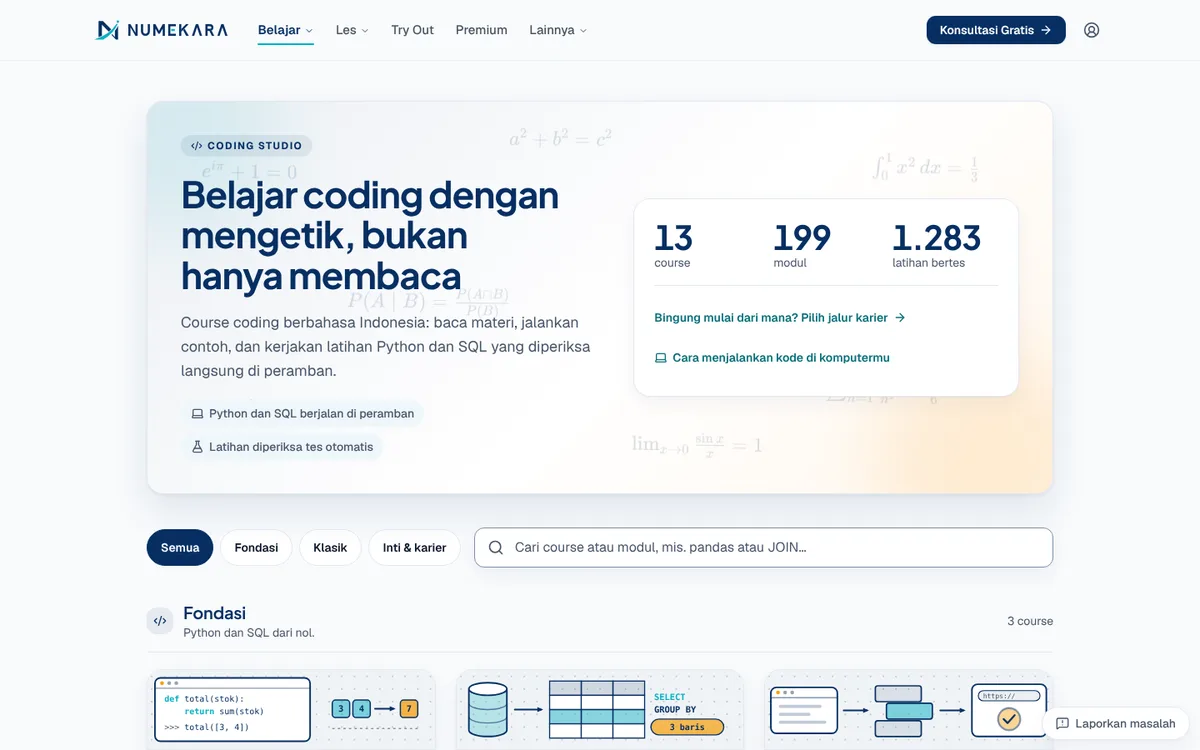
Indonesian-language Python, SQL, data, and AI courses where code runs and exercises are checked right in the browser, no install needed.
- Status
- Live
- Layers
- FrontendBackend
- Used by
- Beginners who want to learn Python, SQL, data, and AI in Indonesian without setting up a special computer.
The problem
Beginners often quit while installing Python and an editor, before writing a single line of code.
The solution
Python runs in the browser through Pyodide, so students read, run examples, and check exercises on the same page. Advanced modules are reserved for paying subscribers, and progress is saved to the account.
How it works
What happens, step by step, from the user's point of view.
- 01
Pick a path or course
The student chooses one of five career paths, or opens a course such as Python basics directly.
- 02
Read the lesson and examples
Each module has short explanations and code examples that run right on the page.
- 03
Write code in the editor
The student types the exercise answer in an editor on the page. Work in progress is saved automatically.
- 04
Python runs in the browser
When the student presses Run, Python works on their own phone or laptop. Code that hangs is stopped automatically after a time limit.
- 05
Automatic tests give feedback
The check button runs tests and shows which parts pass and which still need work.
- 06
Progress is saved to the account
For signed-in students, passed exercises are saved and can be continued on another device. Advanced modules in the core courses are reserved for Premium Coding holders.
System design
Who uses it, what they see, what works behind the scenes, and where the data lives. Read it from left to right.
1People
- StudentLearns from a phone or laptop without installing anything.
2What they see
- Career pathsFive career paths that order courses by their prerequisites.
- Module pageLesson text, code examples, and the exercise editor on one page.
3On the student's device
- Python in the browserPyodide runs Python and SQL without making the page stutter.
- Exercise checkerRuns the automatic tests and shows the result of each one.
4Server and data
- Access gatePremium module pages are only sent to people with access.
- Progress databaseA FastAPI server saves passed exercises to PostgreSQL.
Key features
- Python and SQL in the browser
- One-click exercise checking
- AI tutor for code
- Five career paths
- Progress saved to account
Built with
- Next.js
- Pyodide
- Web Workers
- FastAPI
- PostgreSQL
Numbers you can check
- 13
- Published courses
- 199
- Modules
- 1283
- Exercises verified with zero errors
What the business gets
- Prospective students can start practising without getting stuck on installation.
- The server never has to run student code, so its load stays light.
- Students can pick up their exercises on another device after signing in.
- Basic modules can be free while advanced modules become a paid product.
Terms on this page
- Pyodide
- A version of Python that runs inside the browser, so nothing has to be installed.
- Web Worker
- A separate lane of work in the browser that keeps the page smooth while code runs.
- Database
- A central data store; here it keeps the exercises a student has passed.
Can it work for your business?
For bootcamps, tech courses, or in-house training: learners practise straight away without setting up a computer, and you can sell advanced modules.
Ask about this project