Premium Subscriptions and Access Control
Monthly, quarterly, and yearly subscriptions that stack access periods, unlock trials, and control access to each product.
- Status
- Live
- Layers
- BackendFrontend
- Used by
- Customers on a Premium subscription, and the admin who manages their access.
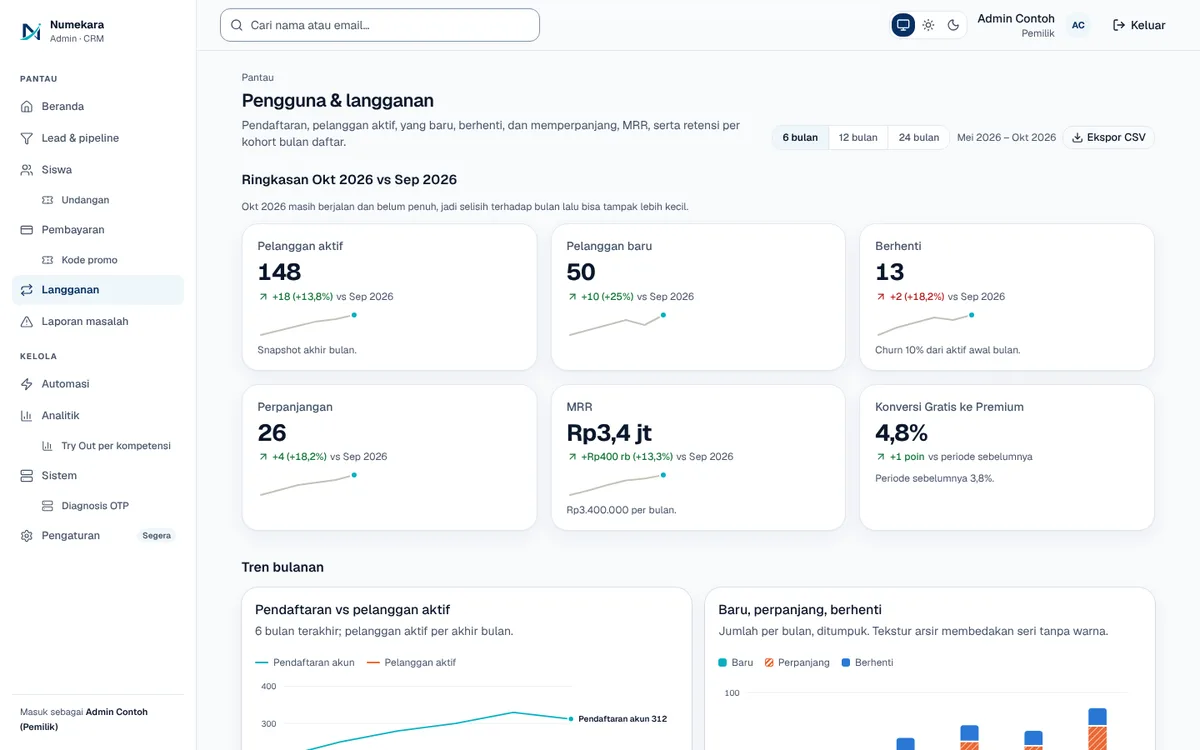
The problem
Without an access system, admins open and close customer access by hand, and renewals often cut off the remaining period.
The solution
Each purchase grants per-product access with start and end dates that stack rather than overwrite. Admins can issue invite codes, extend, or revoke access, and every change is written to an audit log.
How it works
What happens, step by step, from the user's point of view.
- 01
Try Premium for seven days
After finishing the first Starting Check, the account automatically gets a 7-day Premium trial, once per account and with no card needed.
- 02
Pick a subscription plan
The customer picks a monthly, quarterly, or yearly plan for Premium Maths, Coding Studio, or All Access.
- 03
Access opens per product
Once paid, the system grants access to each product with a start date and an end date.
- 04
Renewals stack, not overwrite
If the customer renews early, the new period is added after the time they have left.
- 05
The admin stays in control
The admin can issue invite codes, extend, or revoke access. Every change is written to the audit log.
- 06
Reminders before it ends
Customers get an email when their subscription is about to end and when it has ended.
System design
Who uses it, what they see, what works behind the scenes, and where the data lives. Read it from left to right.
1People
- CustomerBuys a plan, tries Premium, or redeems an invite code.
- AdminGrants, extends, and revokes customer access.
2What they see
- Premium pageThe plans, their prices, and how long each lasts.
- Admin panelPages for subscriptions, invite codes, and each learner's profile.
3Behind the scenes
- Access managerWorks out access periods and decides which features are open.
4Where data lives
- DatabaseStores plans, access rights, invite codes, and the audit log.
- Supabase AuthHandles sign-in, so access is tied to the right account.
Key features
- Monthly, quarterly, and yearly plans
- Stacked access periods
- 7-day Premium trial
- Invite codes for access
- Audit log for every change
Built with
- FastAPI
- PostgreSQL
- Supabase Auth
- Next.js
What the business gets
- Customers get the right access as soon as they pay, without waiting for an admin.
- Renewing never cuts off the time a customer has left.
- Admins can still grant or revoke access by hand when needed.
- Every access change can be traced in the audit log.
Terms on this page
- Hak akses (entitlement)
- A record saying a customer may use a given product until a given date.
- Log audit
- A permanent record of who changed what and when, for checking later if questions come up.
- Supabase Auth
- A ready-made sign-in service that keeps user accounts secure.
Can it work for your business?
For memberships, SaaS apps, or subscription courses: customers get the right access automatically while you stay in control.
Ask about this project