Online Tutoring Sign-Up and Checkout
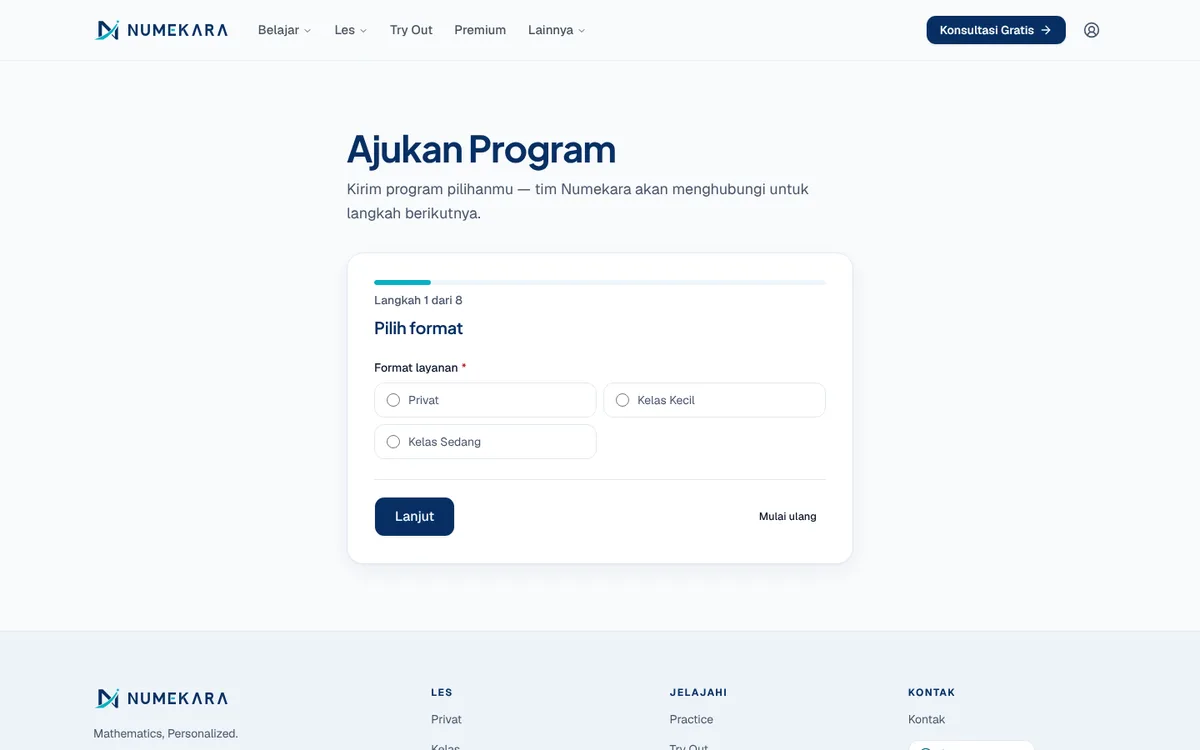
Prospective students pick a programme, fill in their details, see the price, and pay on the same page without waiting for an admin.
- Status
- Live
- Layers
- FrontendBackendIntegration
- Used by
- Prospective students and parents signing up for lessons, and the admin who keeps an eye on new sign-ups.
The problem
Tutoring sign-ups usually stall in chat: an admin has to quote prices, send bank details, and check each transfer by hand. Many prospects drop off along the way.
The solution
A step-by-step form collects learner details and schedule, prices the package from the official price table, then opens QRIS, GoPay, virtual account, or bank transfer payment. Every application lands in the admin CRM.
How it works
What happens, step by step, from the user's point of view.
- 01
Pick a format and programme
The prospective student picks a lesson format and the programme for their level on the sign-up page.
- 02
Fill in details and schedule
A step-by-step form asks for the learner's details, learning goal, parent contact, and preferred lesson times. Answers are kept for a while if the page reloads.
- 03
See the official price summary
The price comes from the official price table, not typed in by an admin. The applicant then gives consent and sends the form.
- 04
Sign in with the form email
To pay, the applicant signs in with the same email used on the form, so only they can open the bill.
- 05
Choose a package and pay
The applicant chooses single sessions or a 4- or 8-session package, then pays by QRIS, GoPay, virtual account, or bank transfer.
- 06
Enrolment recorded automatically
Once paid, the lead in the CRM moves to enrolled and a payment receipt goes out by email.
System design
Who uses it, what they see, what works behind the scenes, and where the data lives. Read it from left to right.
1People
- Students and parentsFill in the form and pay from a phone or laptop.
- AdminSees new sign-ups and their payment status in the dashboard.
2What they see
- Sign-up pageA step-by-step form with a price summary before sending.
- Payment panelShows the QR code, virtual account number, or transfer instructions.
3Behind the scenes
- Sign-up serverWorks out the official price and creates the bill for this application.
- CRM updateMoves the lead to enrolled when the payment clears.
4Data and outside services
- DatabasePostgreSQL stores applications, bills, and each lead's status history.
- MidtransHandles QRIS, GoPay, and virtual accounts, then tells the server.
- EmailSends payment instructions and the receipt to the applicant.
Key features
- Step-by-step application form
- Prices from the official table
- Discounted 4- and 8-session packages
- Pay by QRIS, VA, or transfer
- Tutoring terms before payment
Built with
- Next.js
- React
- TypeScript
- FastAPI
- PostgreSQL
- Midtrans
What the business gets
- Prospects can pay straight away instead of waiting for an admin to reply in chat.
- Prices always follow the official price table, not a manual calculation.
- Every sign-up lands in the CRM together with its payment status.
- Admins no longer check each QRIS or virtual account payment by hand.
Terms on this page
- QRIS
- Indonesia's standard payment QR code, which any banking or e-wallet app can scan.
- Virtual account
- A temporary account number for a single bill, so the payment is recognised without a transfer slip.
- CRM
- A digital record of every prospective customer, with their status and follow-up history.
Can it work for your business?
Fits any service business that sells packages, such as courses, clinics, or consultancies. Swap in your programmes, price table, and payment methods.
Ask about this project