Automated Reminders and Email Follow-Ups
A scheduled system that sends consultation reminders, follow-up emails to prospects, and subscription expiry notices without manual work.
- Status
- Live
- Layers
- AutomationBackendIntegration
- Used by
- Owners and admins who want leads and customers reminded without sending each email by hand.
The problem
Prospects who aren't contacted quickly lose interest, and admins easily forget to send schedule reminders or renewal notices.
The solution
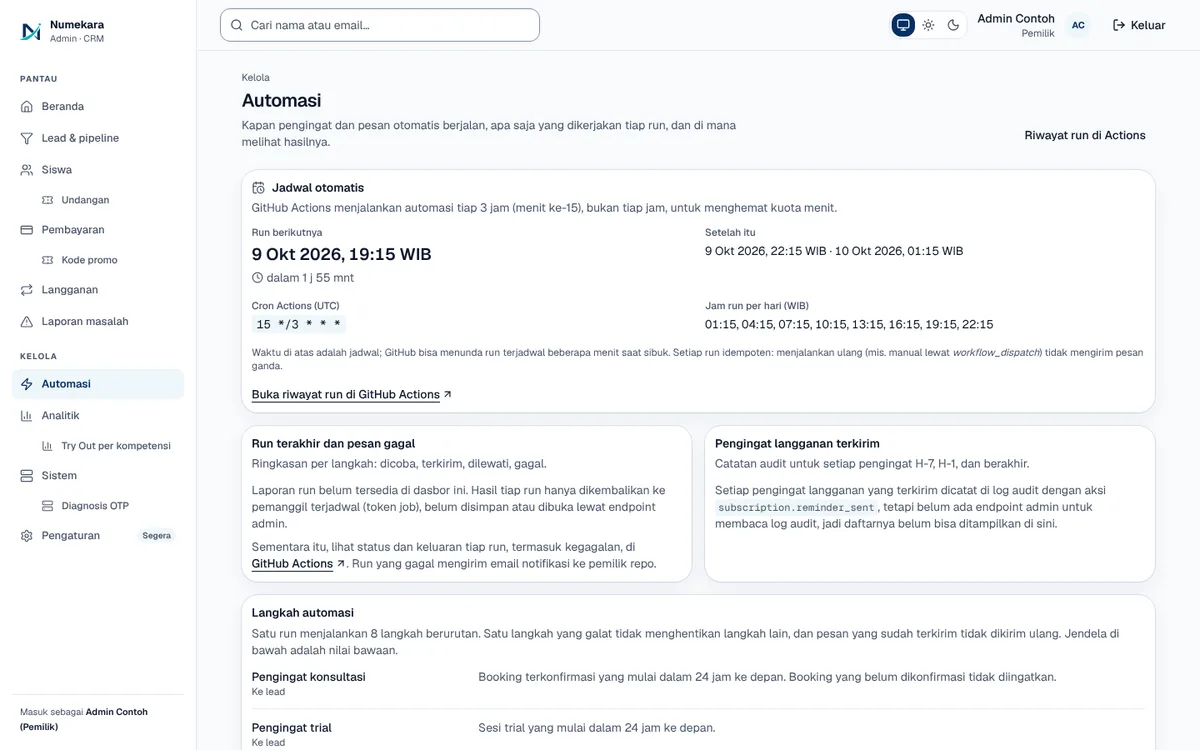
A scheduled job runs every three hours, picks who needs a message, checks their contact consent, and sends the email. Every send is logged, so nobody gets duplicates and failed sends are retried.
How it works
What happens, step by step, from the user's point of view.
- 01
Runs every three hours
Cloudflare Cron wakes the system every three hours. GitHub Actions runs a backup round once a day.
- 02
Pick who needs a message
The system looks for upcoming consultations, leads due another nudge, and subscriptions about to end or already ended.
- 03
Check the latest consent
Right before sending, the system reads that person's latest contact consent. If it has been withdrawn, the message is skipped.
- 04
The email goes out
Reminders and follow-up emails go to leads or customers. Follow-up tasks that are due are flagged to the admin.
- 05
Every send is logged
A message that was already sent is never repeated. Failed sends are retried on the next round.
System design
Who uses it, what they see, what works behind the scenes, and where the data lives. Read it from left to right.
1Triggers
- Cloudflare CronStarts an automation round every three hours.
- GitHub ActionsA daily backup round in case the main trigger is missed.
2Behind the scenes
- Automation serverPicks recipients, checks contact consent, then has the email sent.
3Data and channel
- DatabaseHolds leads, schedules, subscriptions, consent, and a log of every send.
- Email (SMTP)Delivers reminders and follow-ups to the recipient's inbox.
4Recipients
- Leads and customersGet schedule reminders, follow-up emails, and subscription notices.
- AdminGets reminders for follow-up tasks that are due.
Key features
- Consultation schedule reminders
- Nurture and win-back emails
- Subscription expiry reminders
- No duplicate sends
- Consent check before sending
Built with
- Cloudflare Workers
- FastAPI
- PostgreSQL
- SMTP
- GitHub Actions
What the business gets
- Leads still hear back even when the admin is busy.
- Customers are reminded before their subscription ends.
- No duplicate emails, even if the system is triggered twice.
- People who withdraw consent stop receiving messages.
Terms on this page
- Cron
- An automatic schedule that runs a task at set times, like a repeating alarm.
- SMTP
- The standard way servers send email, the same one Gmail and other mail services use.
- Idempoten
- Running it once or many times gives the same result, so no message goes out twice.
Can it work for your business?
Works for any business with leads, appointments, or subscriptions: reminders, follow-ups, and renewal notices run on their own. A WhatsApp channel can be added as an extension.
Ask about this project